Skip to content
Stop Motion Studio
Search
⌘
Ctrl
K
Main Navigation
Home
For Schools
News
Buy
Support
Learn the App
Fix a Problem
Tutorials
Downloads
Contact Us
About
The Team
Privacy
EULA (English)
Menu
Return to top
On this page
添加和调整音频
修改音频片段的持续时间
在项目打开的情况下,选择包含音频片段的帧,在
逐帧编辑器
中打开
帧编辑菜单
。
选择[[音频]]打开音频编辑器。
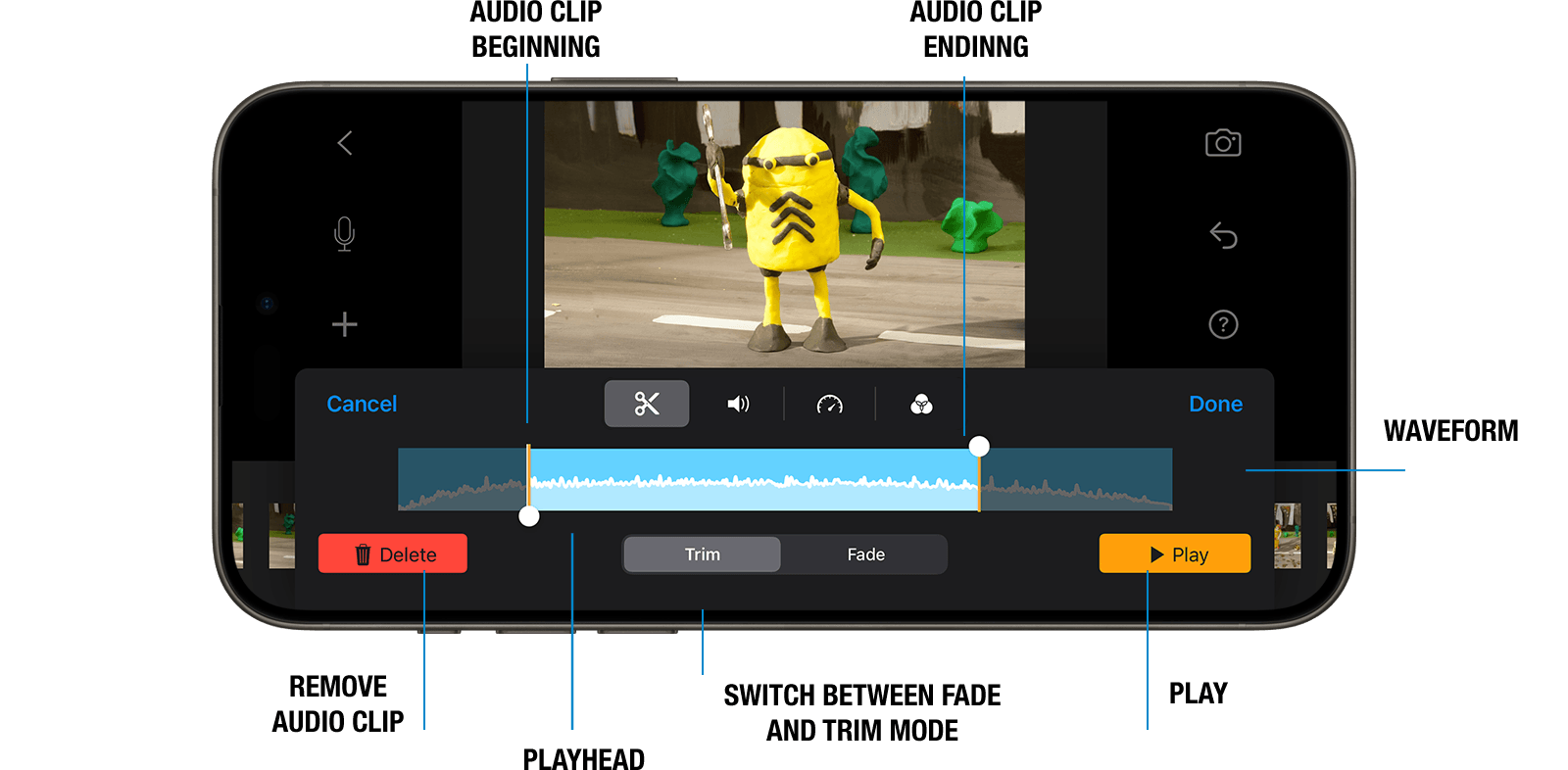
拖动clip两端的修剪手柄到你希望音频开始和结束的点。移动修剪手柄时,预览会显示音频片段将结束的帧。
按播放键检查时间点。
选择完成以关闭音频编辑器。
Phone
Tablet
Desktop