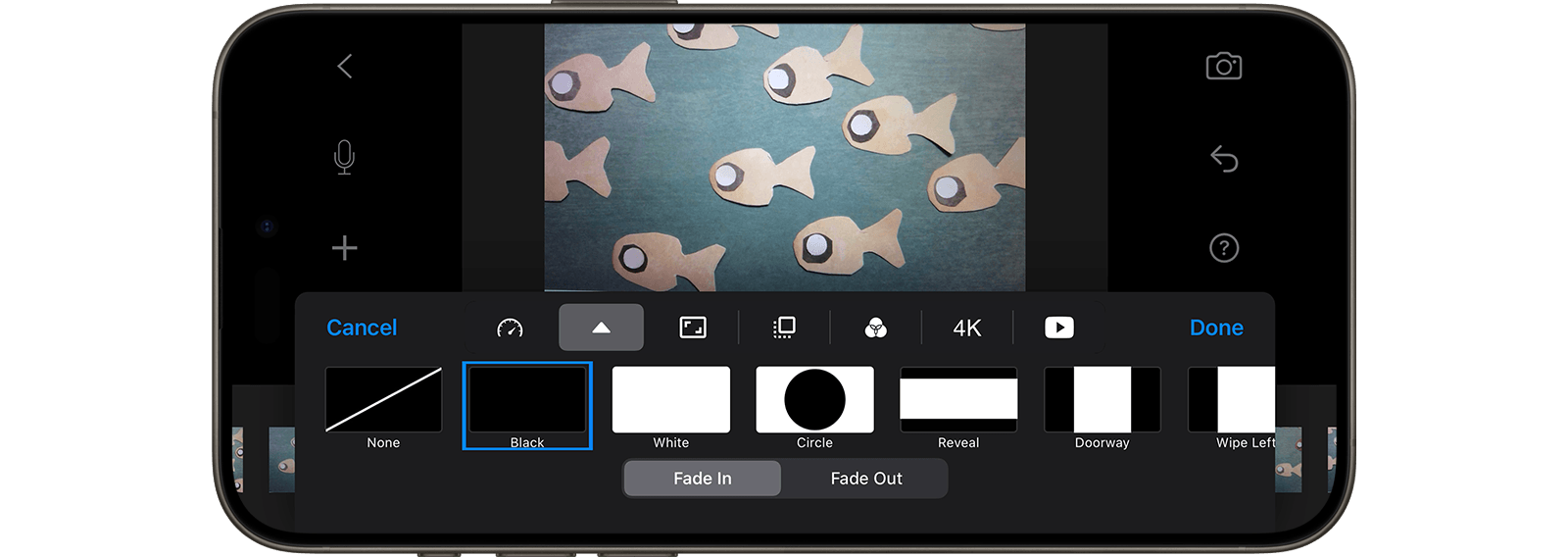
Add Fade-In and Fade-Out
Give your movie a professional touch by incorporating a fade transition. Consider using a fade-in at the beginning, a fade-out at the end, or both to enhance its cinematic quality.
A Fade-In transition gradually increases the visibility from black or white to fully visible. Conversely, a Fade-Out transition gradually decreases the visibility from fully visible to black or white.
- While in the movie editor, press the Project Settings button
 .
. - Choose
 to change the transition.
 - Select Fade In to change the transition at the beginning or Fade Out to change the transition at the end.
- Choose a transition effect.
- Press Done to close the project settings.