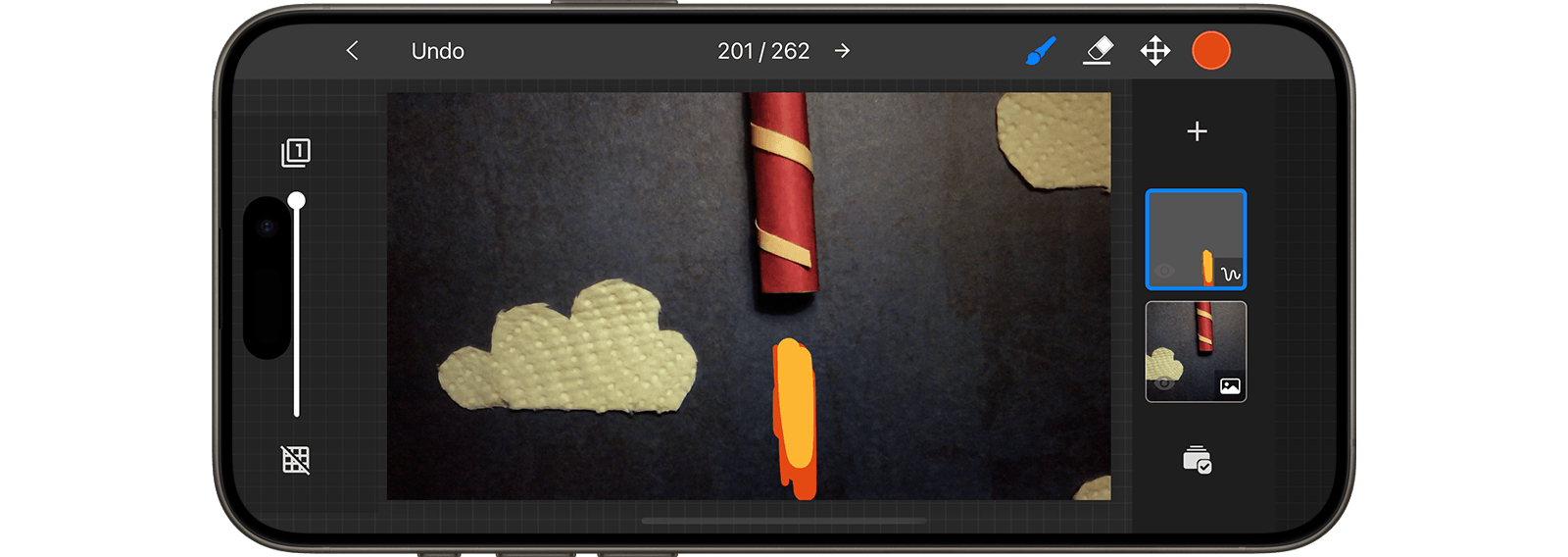
Draw Onto an Image
Enhance your movie by painting directly onto the images. Add vibrant colors, draw a laser sword onto a figure, or create fireworks in the sky.
- While in the movie editor, select the frame you want to edit and open the frame edit menu.
- Select Edit
 to edit the image.
 - Press the Add Layer button
 to open the add layer menu.
 - Choose Drawing
 to add a new drawing layer.
 - Do any of the following:
- Use the brush symbol to draw onto the image.
- Use the eraser symbol
 to erase parts of the drawing.
 - Use the move symbol
 to move the drawing around.
 - Use the color wheel to change brush bolor, size and opacity.
- Use the brush symbol
TIP
You can undo  and redo
  at any time in case you make a mistake.