DSLR Camera Live Preview and Captured Image Differ
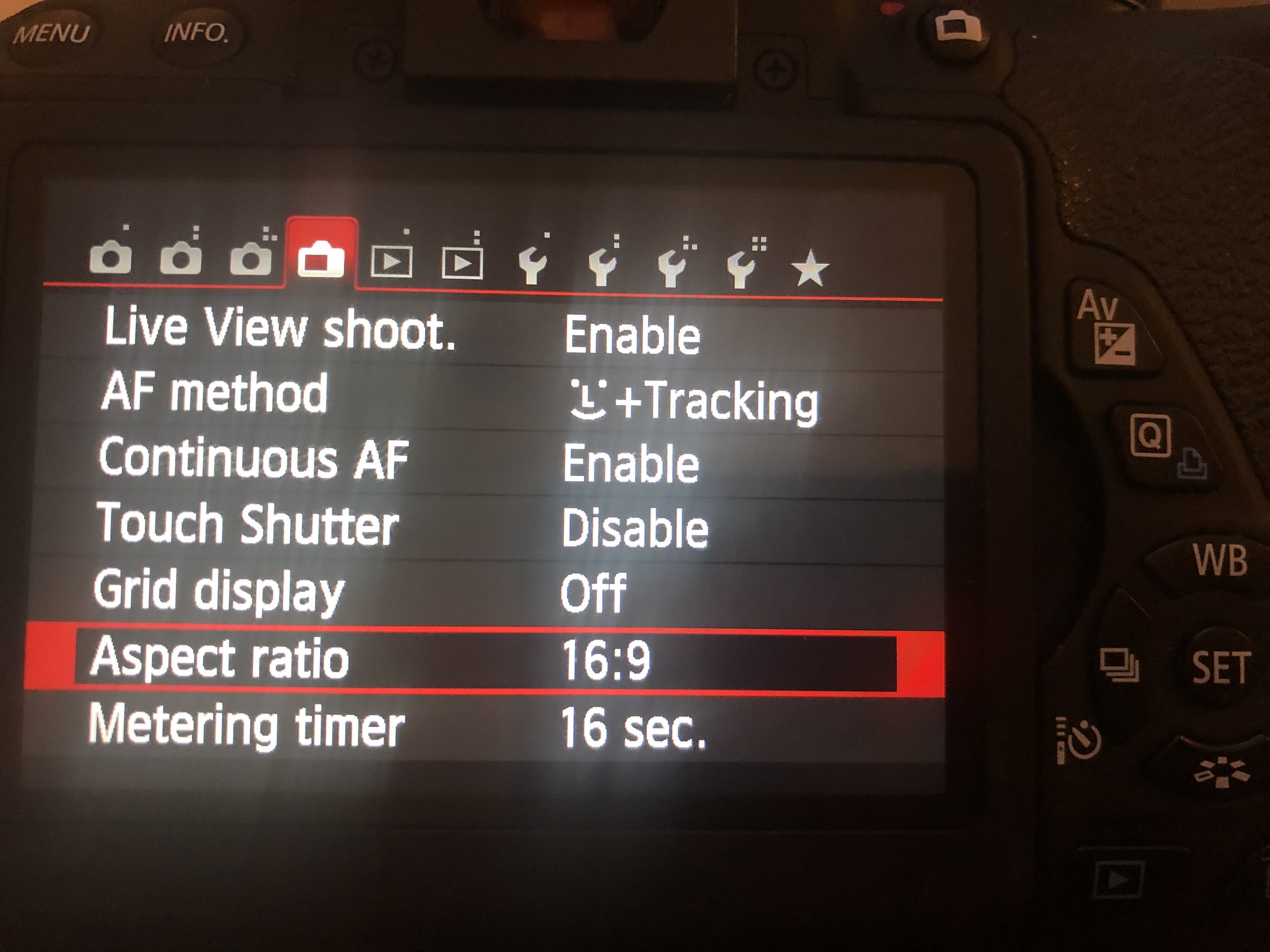
If you notice that the live preview image and the captured image are different when using your DSLR camera, you may need to adjust the image aspect ratio.
Solution
Open the Camera Settings
- Access the settings menu on your DSLR camera.
Locate the 'Aspect Ratio' Setting
- Find the option labeled 'Aspect Ratio' or similar in the settings.
Change the Aspect Ratio
- Set the aspect ratio to 16:9 to ensure that the live preview and the captured image are consistent.